
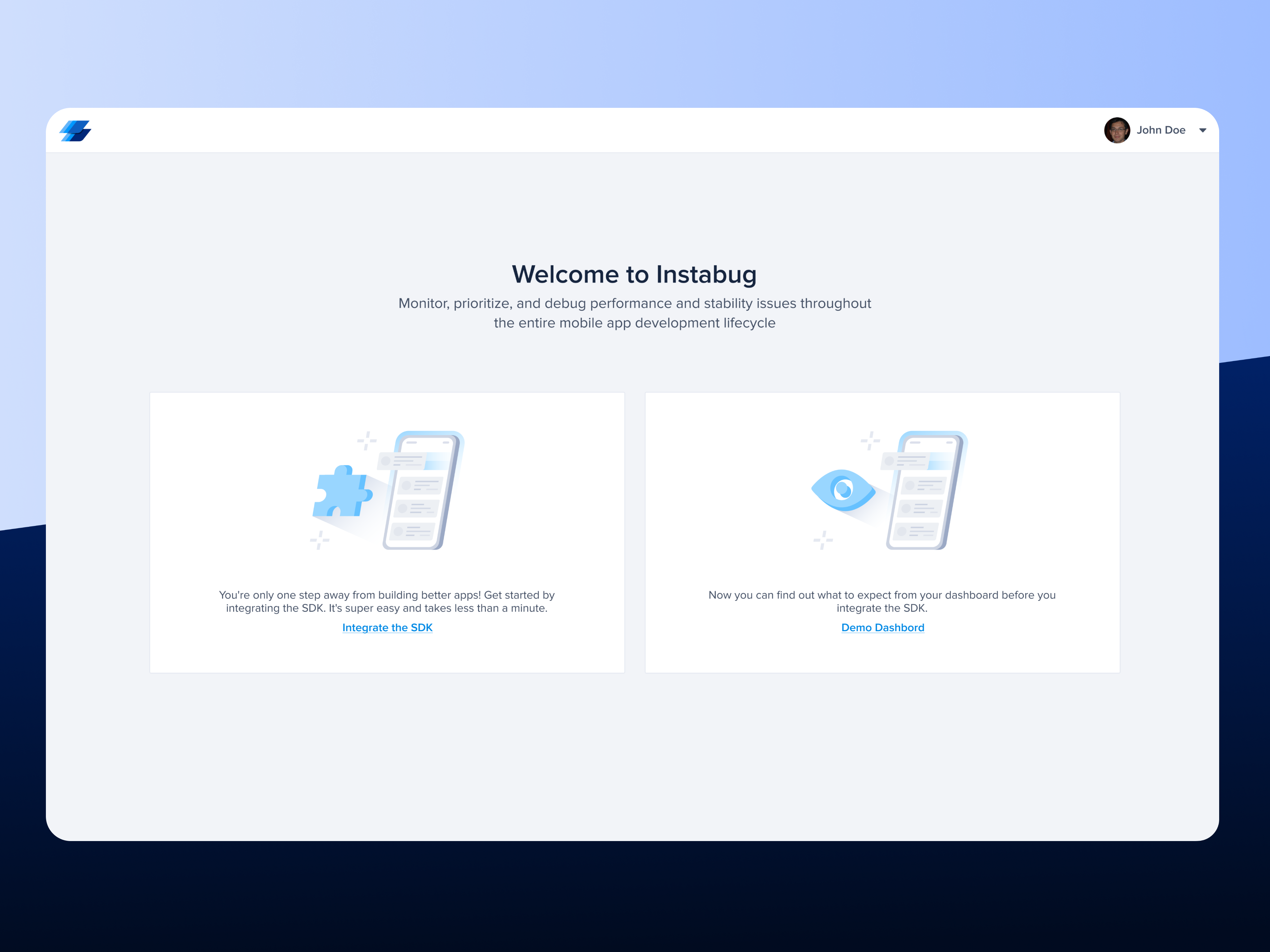
Instabug facilitates user feedback and bug reporting for mobile applications. It offers a seamless channel for two-way communication with users and provides developers with detailed environment reports. Currently, we lack a straightforward method for customers to explore our product features without the necessity of signing up and integrating. Even post-integration, our product's full potential remains untapped until customers actively engage in reporting sessions, bugs, and crashes, hindering the likelihood of reaching the "aha" moment and causing significant friction. This drawback also impacts customers comparing our offerings with those of competitors.
The Primary Goal Of This Initiative is to enhance the integration process of Instabug's SDK to boost the conversion rate from signup to integration, improve the top of the funnel, and streamline the path to realizing value.
Value realization goes a long way in the purchase decision for our customers and seeing our products in action before making the actual purchase helps them understand if it fits their needs.
Currently we don't offer a frictionless path for our customers to explore our product capabilities without the need to signup and integrate. Even after integration our full product potential is not unlocked unless the customer actually started reporting sessions , bugs and crashes; which limits the probability of reaching the aha moment and creates a lot of friction. This also affects the customers who are comparing our products against other competitors.
Even for enterprise customers having a live demo would be perfectly complemented by having an up and running environment ready for hands-ons experience. Sales team sometimes need to give customers access to try a specific flow or experience.
Current Workarounds
Customer need to signup , integrate their apps and start reporting bugs or crashes to explore our products and capabilities Or Request a demo.
Supporting Data (Findings & Pre-research)
Target audience:
● All Self-serve companies (Indie , Small and Mid size companies )
● Not decided about what we offer
● Comparing our products against competition
● Want to explore our product experience with minimum effort
Could be used during enterprise deals to give customers access to explore the dashboard experience specially if they are asking about specific features.
Value Proposition
● Self-serve demand
● Enhance top of the funnel and help customers reach the aha moment without friction
Customer Anecdotes
[Provide detailed accounts by customers that fall within target audience on how the problem affects them, how they currently work around it, and what their ideal scenario is]
● Some users don’t want to put the effort to integrate the SDK until they try Instabug first.
● The user gets confused about OR distracted away from the process Some users get distracted during the integration process by clicking on different elements in the pages of the integration like the menu and BR video Unqualified Lead (not correct target segment) Non-mobile engineer: The user not working on a mobile application
● Non-technical user: The user doesn’t have access or capability to integrate the SDK
● Mobile engineer but the platform is not supported
● No real need, playing/looking around and exploring(no motivation).
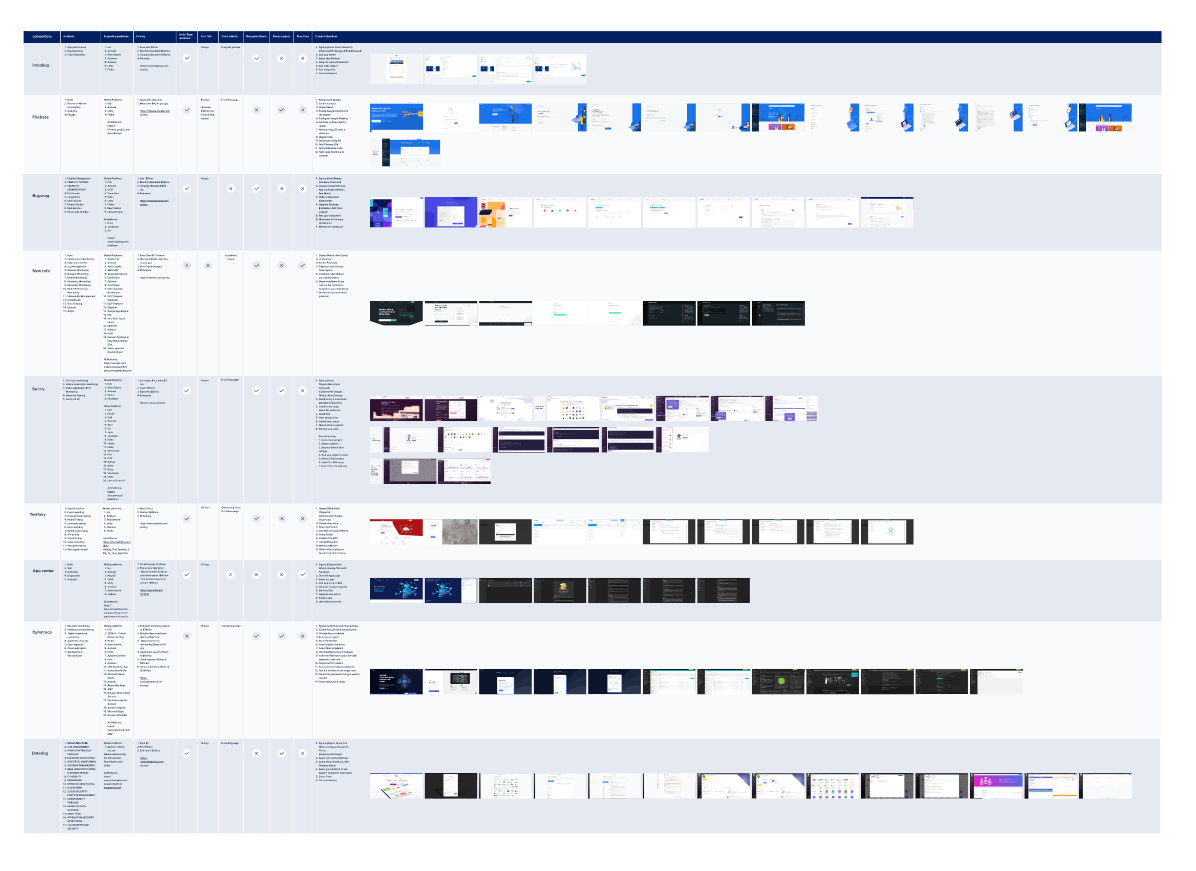
Once I understood the problem and current experience, I began my competitive research to discover what other competitors were doing and what we could improve.
User Interviews
Regarding the Insights I got from Competitive Analysis, I moved to The Second Stage of the Research I Started By recruiting our target segment users (Developers) Then I interviewed 6 potential users via video calls to understand the challenges they face with Instabug SDK integration.
User Interviews Goals
Understand the challenges of a low conversion rate from subscription to integration.
Key Insights Derived From User Interviews
● BR Video is not useful in the integration stage.
● Suggesting in The Team Invitation Part that it would be better to clarify the possibility of inviting the team from the dashboard Later.
● Rearranging Flutter after Android due to its current importance.
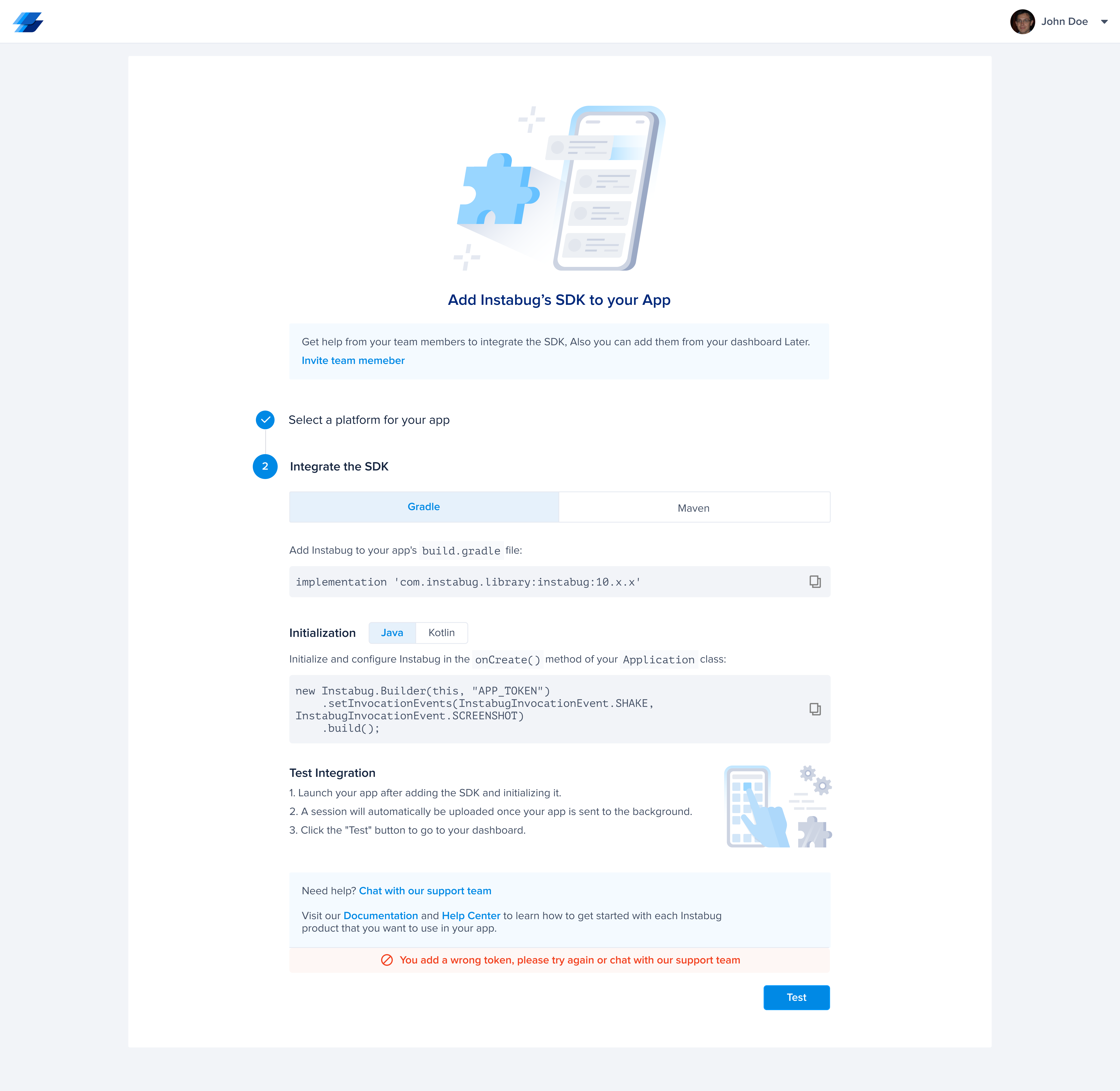
● The Third Step (Test) can be combined with the second, since it does not contain an action.
● The Error Message is not useful to know where the error is, and it can be distracting for new users.
● Writing The Name of The App next to the platform can be distracting.
● Password Verification is missing in the registration process.
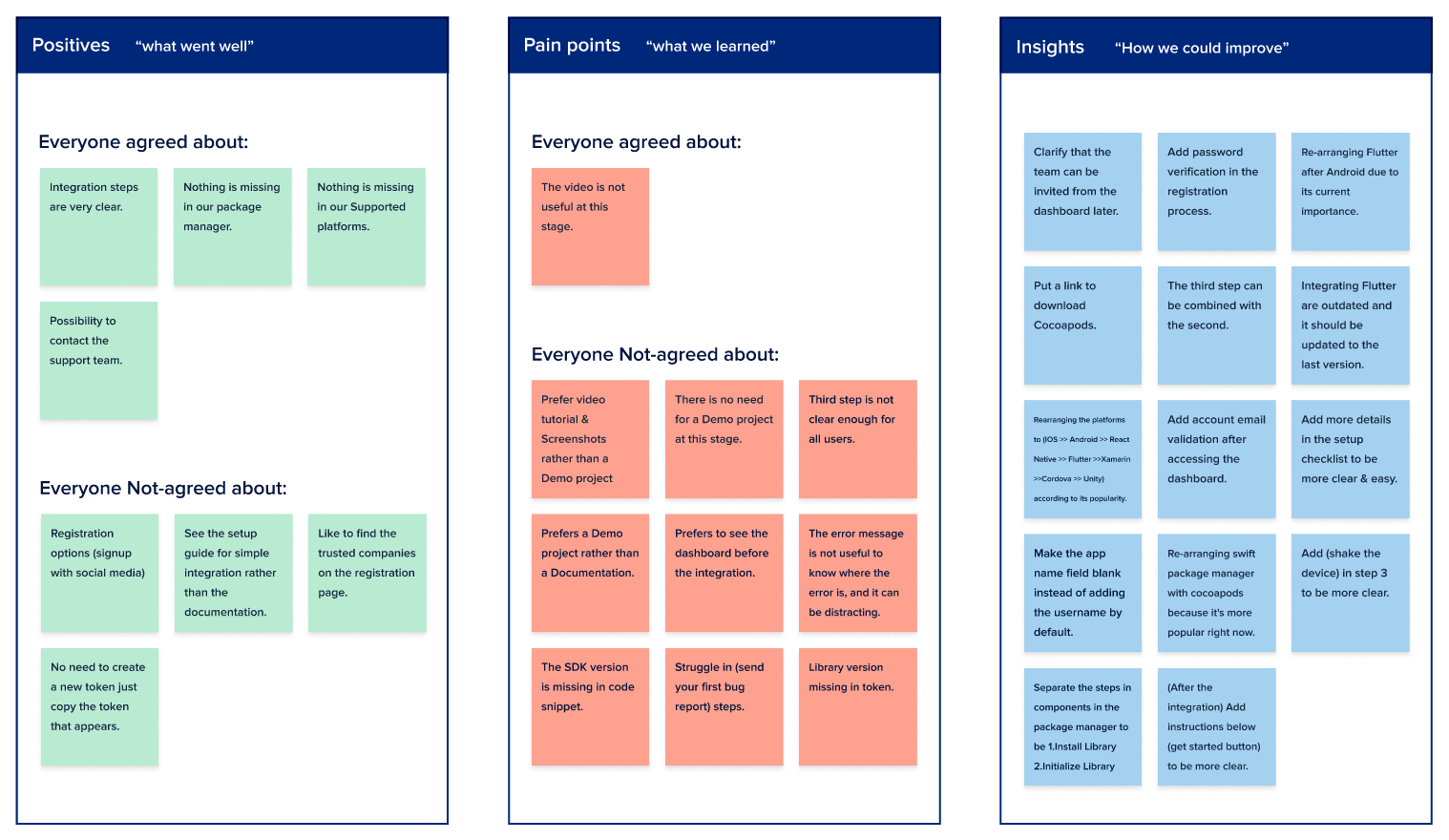
Affinity Mapping
Regarding the Insights I got from User Interviews, I moved to The Third Stage of the Research I made an Affinity Mapping to organize all the results I got from user interviews By 3 Features:
● Positives “What went well”
● Pain points “What we learned”
● Insights “How we could improve”
With the data collected from The Interviews, I defined the pain points that users face trying to Integrate the SDK
● Most users want to know What They Expect To See From The Dashboard before integrating the SDK.
● BR video has no value for users in Integrate the SDK.
● Most Users were Distracted in The Third Step of the integration.
● The Error Message can be distracting for new users.
Brainstorming
Based on the results I got from the research, I started brainstorming the important features that I can offer to our users to give them a good user experience.
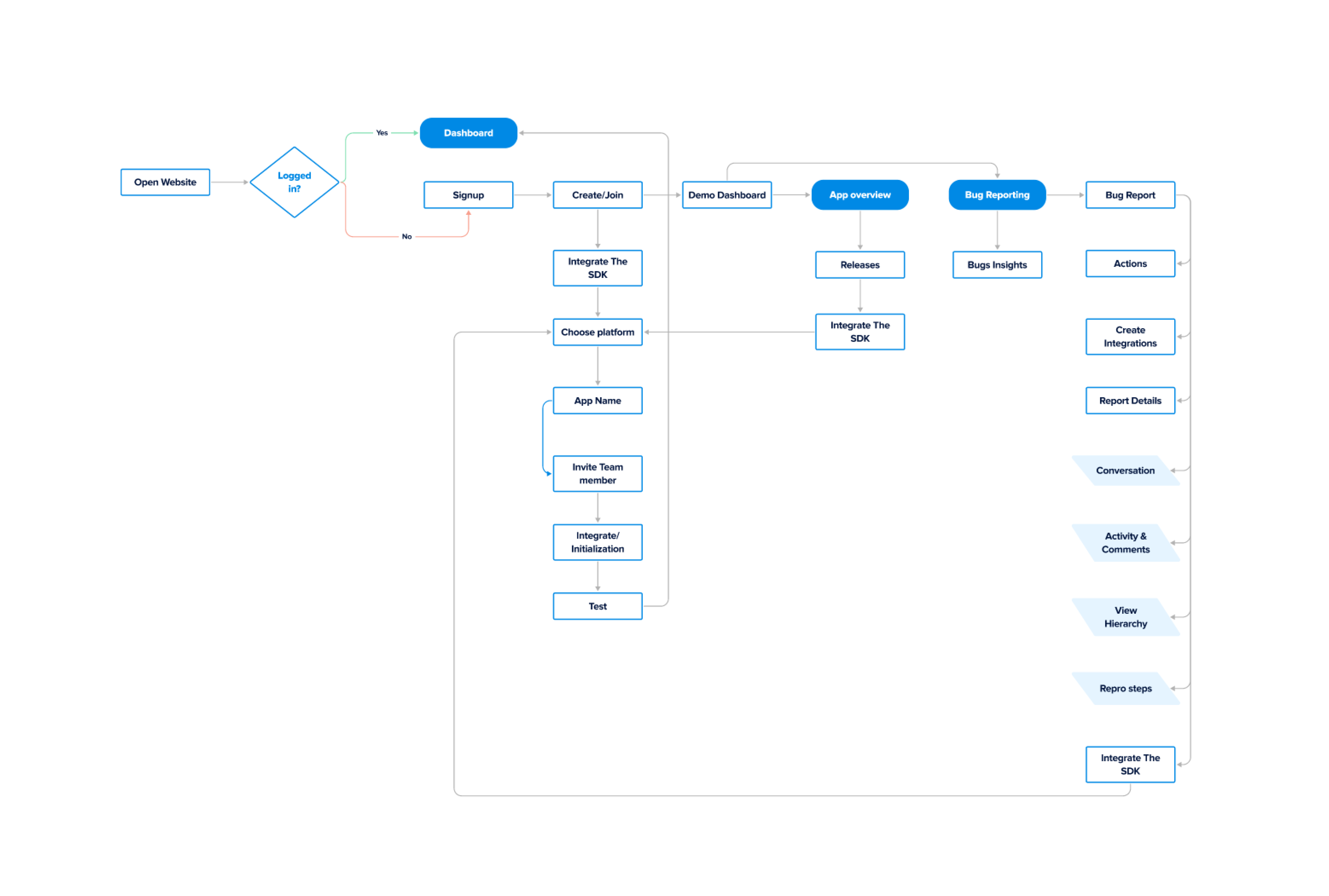
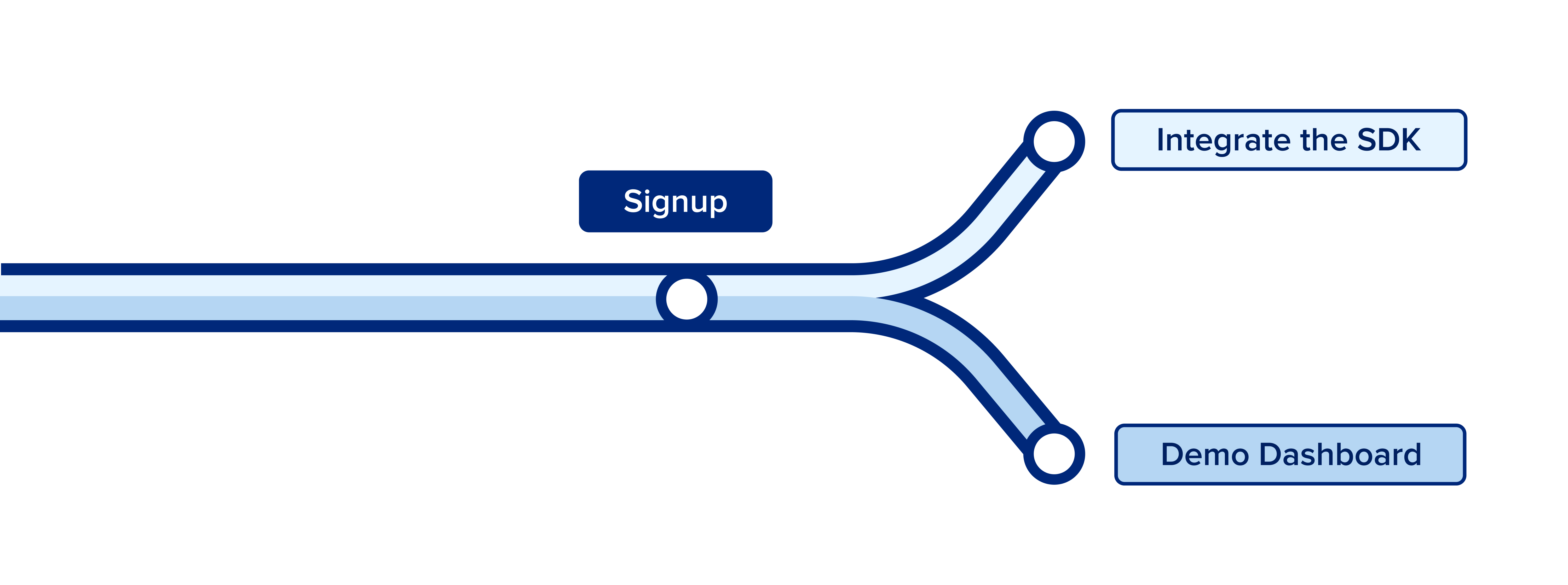
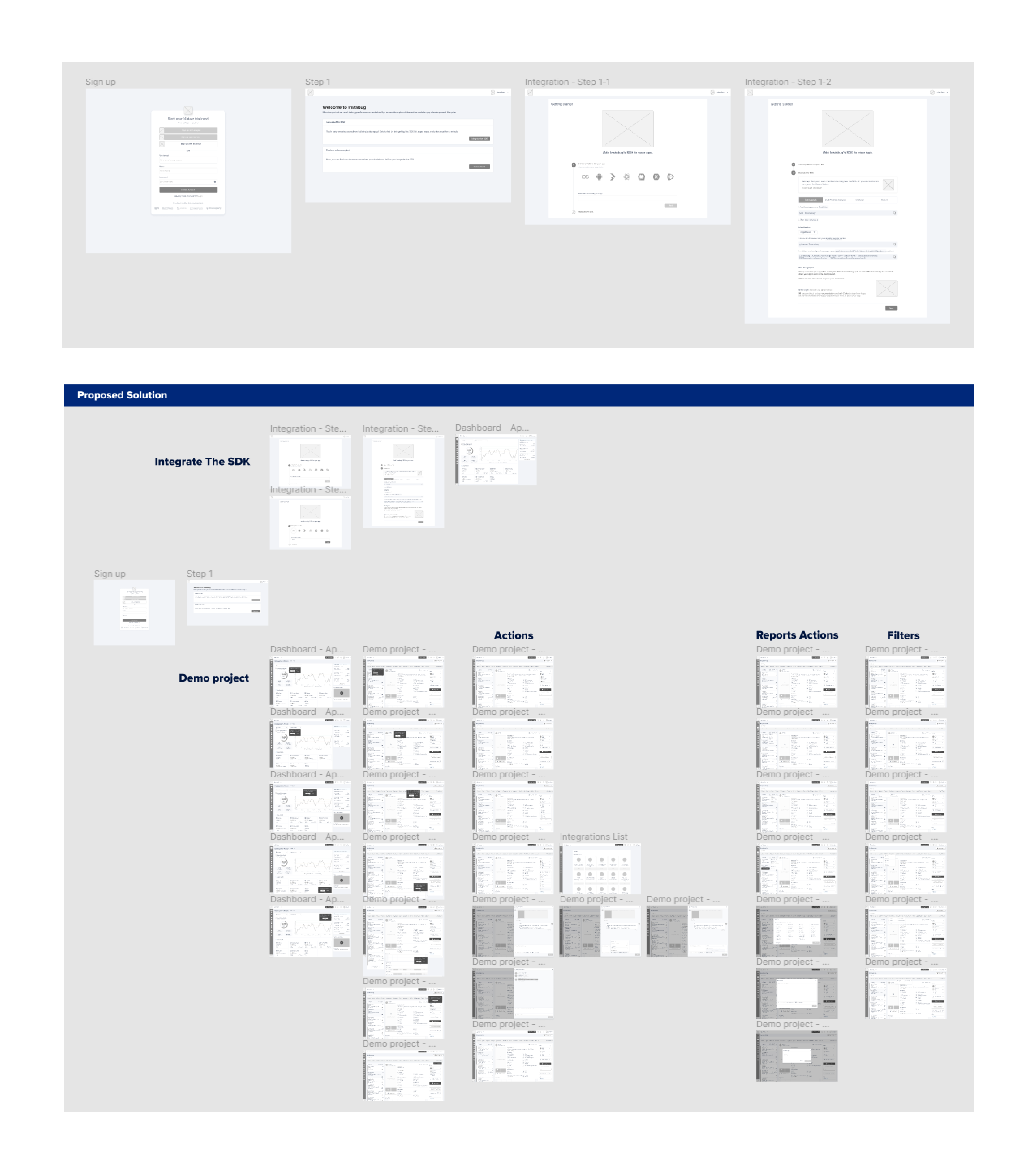
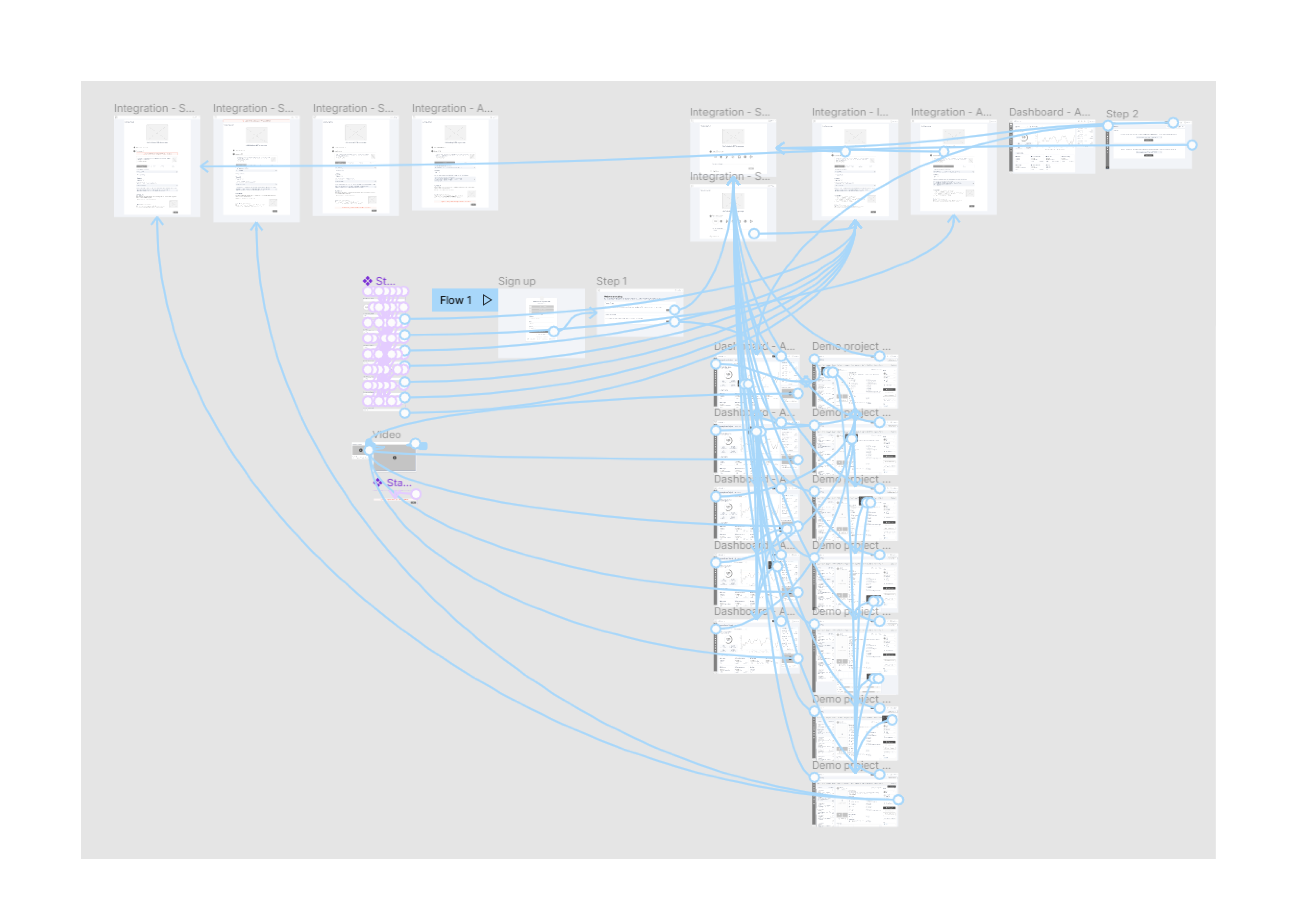
I created the User Flow to integrate the SDK then I sketched out my Ideas on paper as Lo-Fi wireframes, After making corrections to them, I moved to Hi-Fi Wireframes
Usability Testing
Regarding the Hi-Fi Wireframes I created for the proposed solution, I started building a prototype to test it with our potential users, Then I recruited 4 Users to collect their feedback on the new structure.
Usability Testing Goals
Find out opinions about newly added functionality in the SDK integration steps, and whether or not these functions solve previous issues and add new value to the user.
Key Insights derived from Usability Testing
● Users found The Current Arrangement in The Integration Steps easy to understand.
● Most users chose to View The Demo Dashboard First to gain a clear understanding of the product's capabilities and benefits before proceeding with SDK integration.
● Most users appreciated the ability to invite team members later from their dashboard to avoid getting stuck at this point.
● Most users enjoyed The Product Tour in the Demo Dashboard as it effectively showcases the key features of each product in a simple and concise manner.
● Many users preferred having the Help Center and Documentation located next to the test step for easy access in case they encounter an issue.
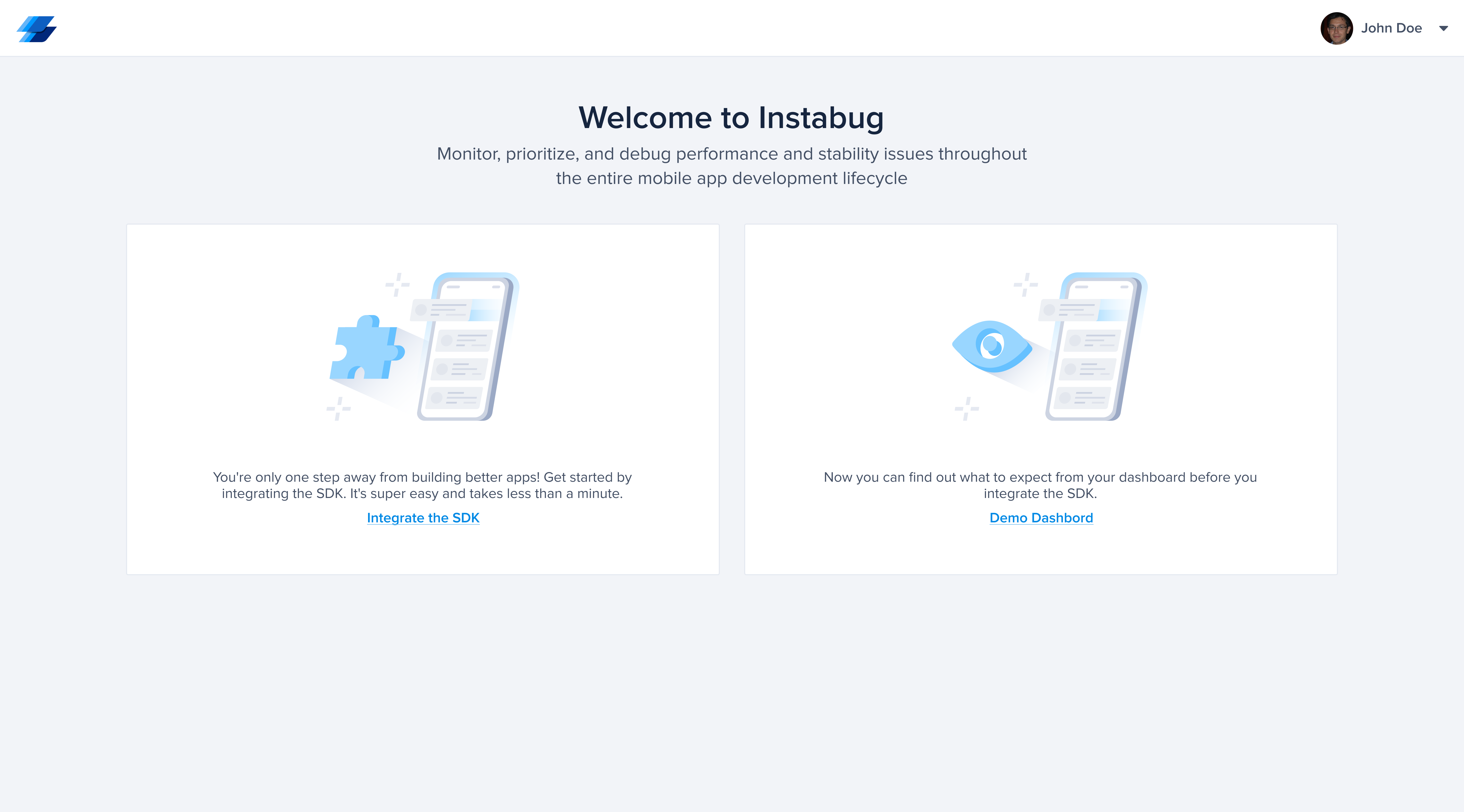
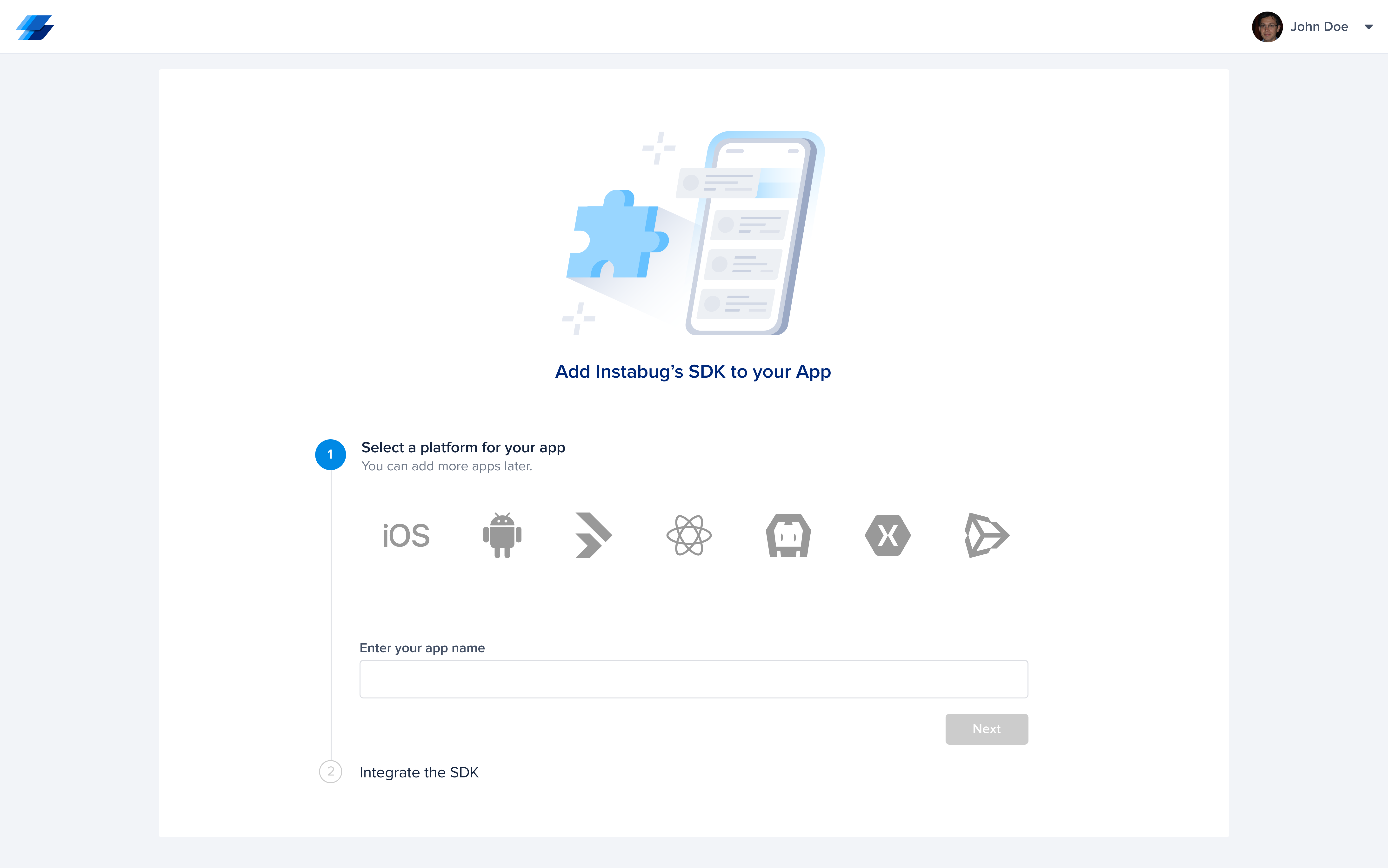
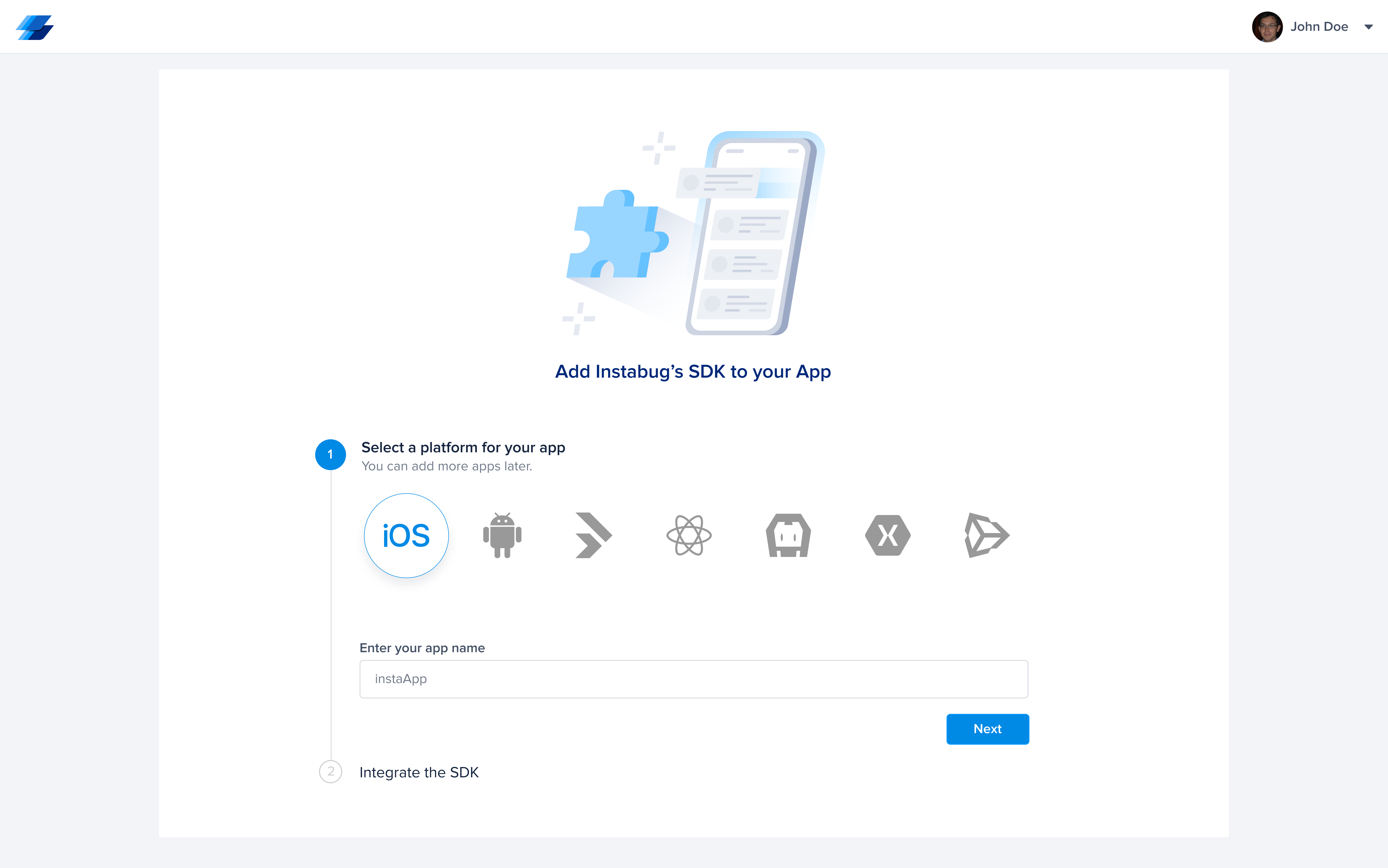
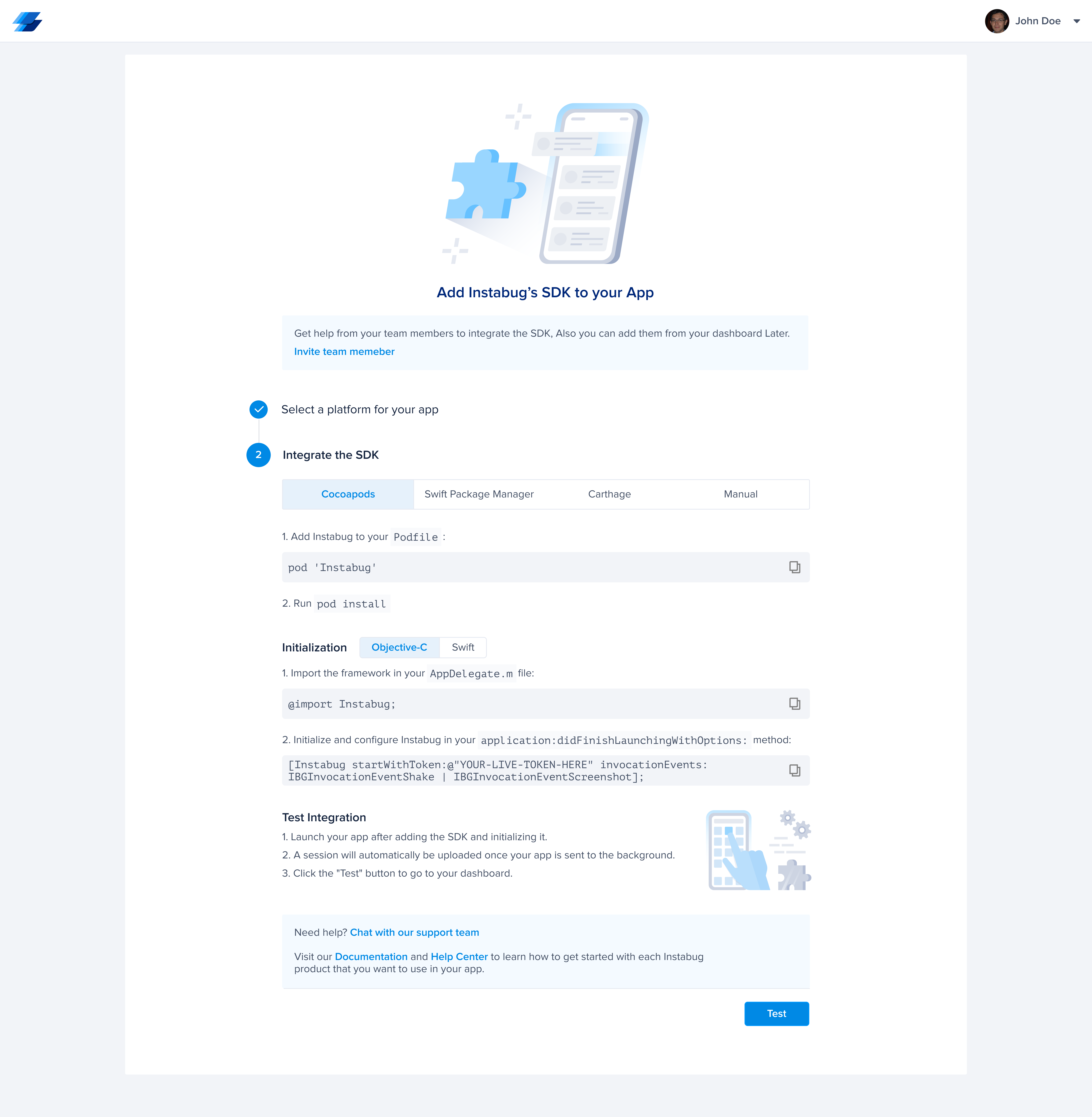
After completing the usability testing and implementing the feedback and suggestions I received, here is the final solution that I came up with for this project.
A/B Testing
In terms of the results I got from interviewing the users for the error message, it disappears very quickly and is not helpful to know where the error is, and it can also be very distracting for new users. So, I Created 2 Options For The Error Message and tested them with our potential users to get a better idea of which site is best for them so they don't get distracted
After completing the usability testing and Implementing the feedback & suggestions I got, Here is The Final Solution that I came up with for this project
Build a Demo Dashboard
● It will be the same dashboard that appears to the user after Integrating the SDK where one app will appear with dummy data by default, But With Some Differences:
● Users can view but not edit or delete anything on the dashboard after integrating with Instabug.
● There will be a product tour to showcase the key features of each product in a simplified and concise way.
● A tooltip will appear to the user including "You are in view mode" when they try to delete something on the dashboard.
Enhance SDK Integration
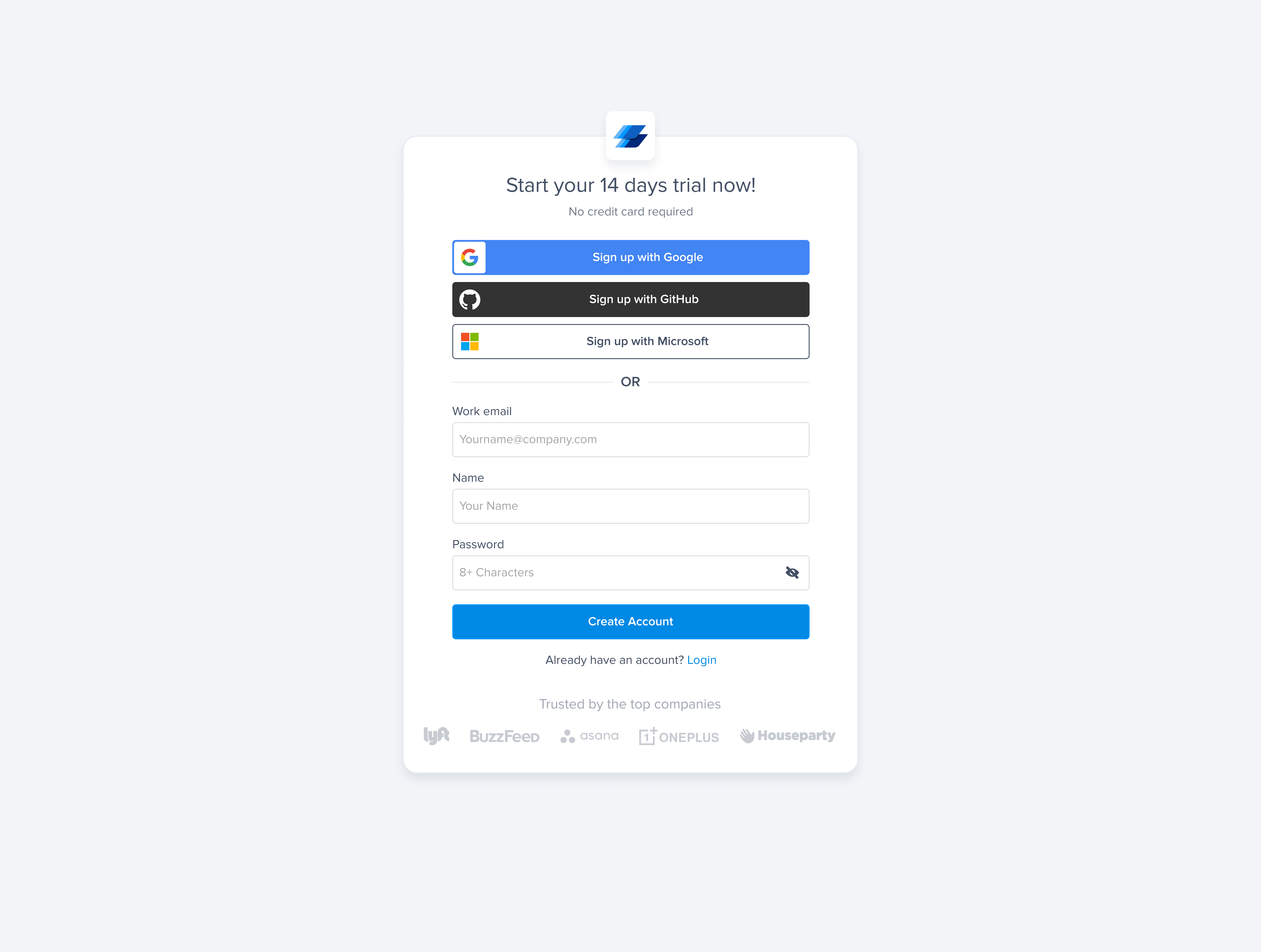
● On The Registration Page, we can add “eye icon” in the password input so the user can make sure that the password is typed correctly.
● In The Integration process, we can combine the steps into only 2 steps instead of 3
So accordingly, The Next Page after Registration will have “2 Options“
First will be SDK Integration
Second will be a Demo Dashboard (View Only) display what expect to see in the Dashboard after Integrate the SDK
● Enhance The Test Step & The Error message as It's distracted to a lot of users.


 View Case Study
 View Case Study