
Collecting feedback from end users is becoming an integral part of mobile development. There are many sources of feedback, but the most relevant source to what we offer (Instabug) is Store Ratings because it’s mobile focused. Investing in store ratings will help in increasing our win rate against our direct competitors. Current Workarounds
We don’t offer any work arounds from our platform. They need to use third party tools like the app store or play store.
Target Audience
Digital Aspirers & Digital Enablers.
Value Proposition
Track, organize, and act on feedback in one place.
Store rating is an important feedback channel, a negative store rating can affect your app reputation, revenues and downloads. Companies are aspiring to understand each user feedback and make sure to resolve their issue. They understand the importance of “closing the loop” or responding to customers with proof that their feedback has been taken into consideration.
The main pain point is that store reviews are not actionable because they don’t have enough data to reproduce the issue. this is where the market gap is, which can be our biggest differentiator and selling point.
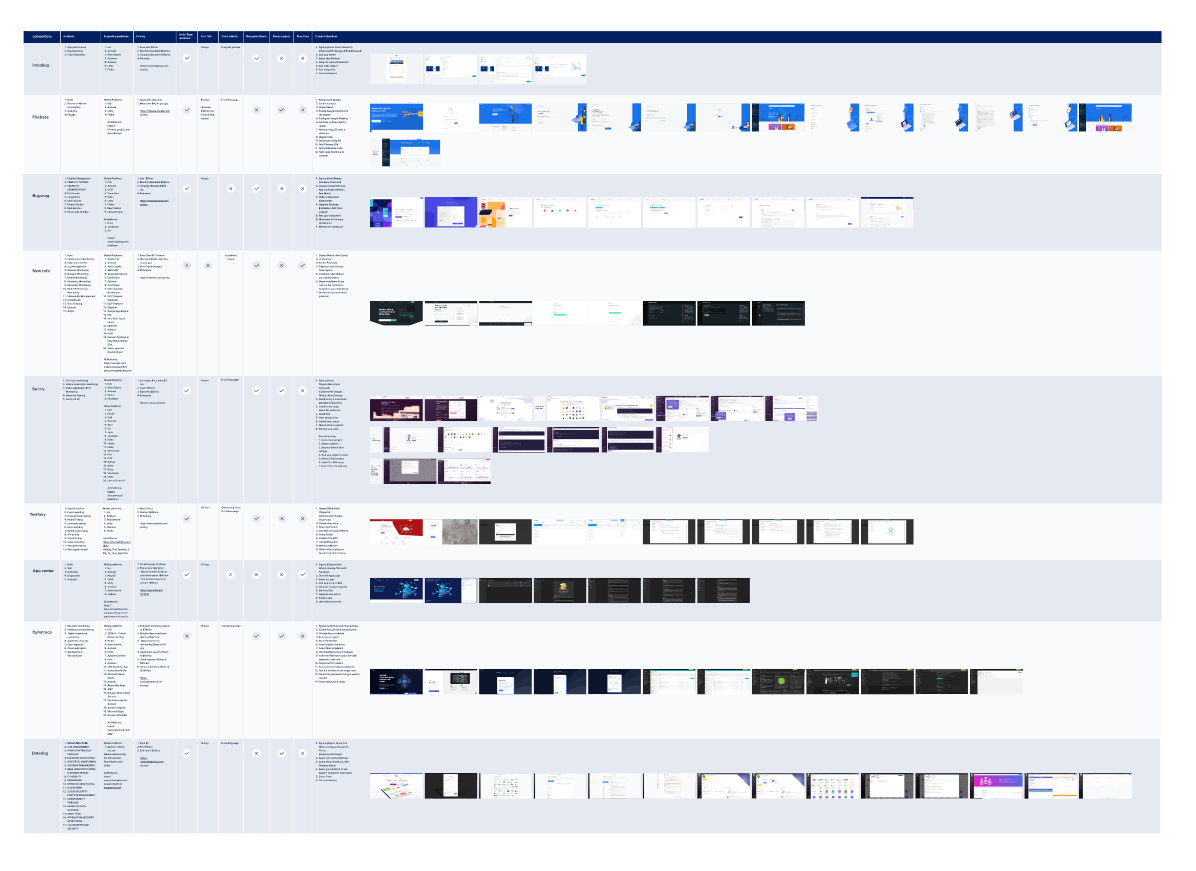
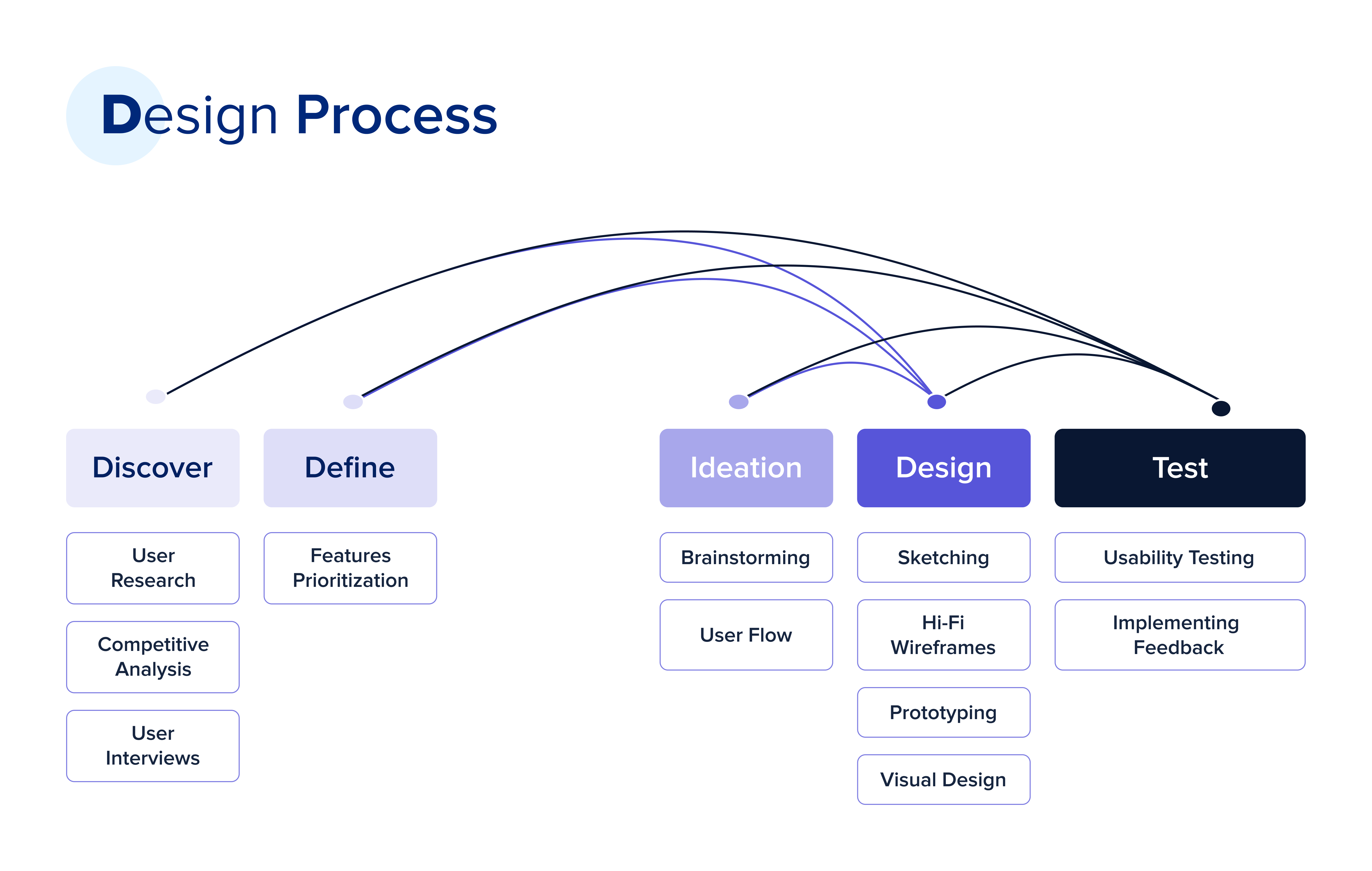
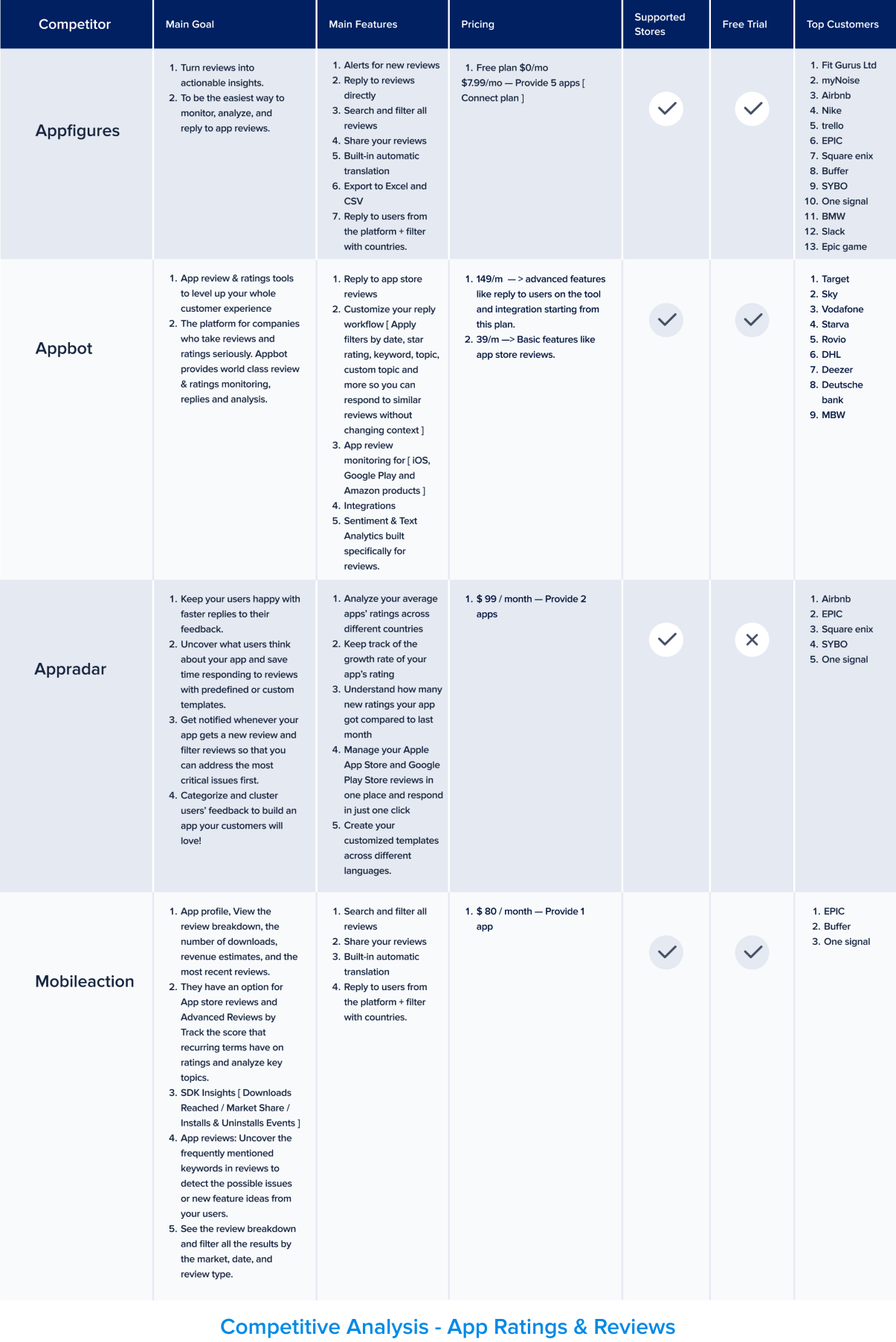
Once I understood the problem and the current experience, I began my Competitive Analysis to discover what other competitors were doing and what we could improve.
User Interviews
Regarding the Insights I got from the Competitive Analysis, I moved to The Second Stage of the Research: I Started By recruiting our target segment users (Product Managers, and CX) Then I interviewed 7 potential users via video calls to understand the challenges they face when it comes to managing store ratings and feedback from their end users.
User Interviews Goals
To acknowledge the difficulties faced by businesses in managing user feedback and store ratings. It is crucial to understand the impact of such feedback on the reputation and success of a business.
User Interviews Questions
General Questions
● Can you tell us about your role and the company?
● How important is your app to the business? Briefly describe what the app do. How many people are currently working on your app?
Interview Questions
● What are the top 3 KPIs you track? How do you ensure that your customers are having a seamless experience on your app?
● What are the methods you use to collect feedback from your users? (ex. Surveys, Social Media, App Reviews)
● Do you currently use any tools to collect feedback from users?
If yes, what is the most important feature in this tool and how do you use it? If no, what is the current manual process?
● When was the last time you received a negative feedback from a user?
● Can you walk me through the process? How did you reproduce the issue?
● How did you make sure the customer knows that you’re working on the issue?
● Can you walk me through the process of managing store reviews? Who monitors the store reviews ?Teams involved in managing reviews
● Are you using any tools to help you in managing store reviews?
● How did you reproduce the issue? Did you use any tools to help you in addressing the issue?
● How did you make sure the customer knows that you’re working on the issue?
Key Takeaways derived from User Interviews
● Biggest obstacle is that reviews are not actionable. This is the market Gap. This is our sweet spot. In turn, We decided to shift from: “Managing Store Reviews“ → “Debugging Store Reviews"
● Focus on the Support/Developer persona instead of the social media/ CX persona.
● Got a better idea of How do customers address this pain point ,As companies usually reply with their support email address for easier communication with the customer. If the customer responds with the required data, the issue is forwarded to the support team.
● There is no straight forward way to identify the user who wrote the review.
● Apple encourages developers to reply to all reviews and update the response once the issue is resolved.
Brainstorming
Based on the Insights we got from the Research/Interviews, We reached the conclusion that App Rating Management is not the pain point, and it’s not serving our target persona. We changed our focus on the main pain point. In Turn:
Target Audience
From Digital Aspirers & Digital Enablers TO Only Digital Enablers.
Value Proposition
From Track, organize, and act on feedback in one place. TO For every individual occurrence, view the steps to reproduce it and the environment state leading up to it Interviews.

Automatic Approach
Detecting native in-app rating. What is Native in-app rating? A feature that allows app developers to prompt users to rate and review their app directly within the app itself, without redirecting users to the app store or other external review platforms. This feature is available on both iOS and Android platforms.
How can we detect it?
We cannot view the user interaction with the prompt, but we can detect when the prompt is opened and when it was closed. We can increase the accuracy by calculating the time between when the prompt appeared and when it was dismissed to make sure the customer didn’t click on “Not Now” right away.
Description (Features Prioritization)
● We will be able to identify if the pop up appeared for the app rating or not.
● We will compare the time stamp when the pop up appeared and when it was dismissed to identify if the user interacted with the modal or not. We will mark the sessions if the prompt appeared along with the timestamp.
● We will compare the timestamp for the prompt with the timestamp for the review to identify “Suspect sessions“ in session replay. Other filters that we can depend on → Same app version, Same Device (Android only, Requires authenticated APIs), Same Country(iOS only).The volume of the reviews is not that high which will increase the accuracy of the “Suspect sessions“ The customer will be able to search for all sessions related to that user in session replay.
● The manual approach will work if the user left the review on the store directly. The manual approach automates the manual process customers have right now.
● Instead of sending your support email and waiting for the customer to respond to submit a ticket to you developers, we will automate the process by showing all the needed debugging data once the user opens the session.
● Customers can also view all sessions related to that specific user.
Overall experience from the dashboard
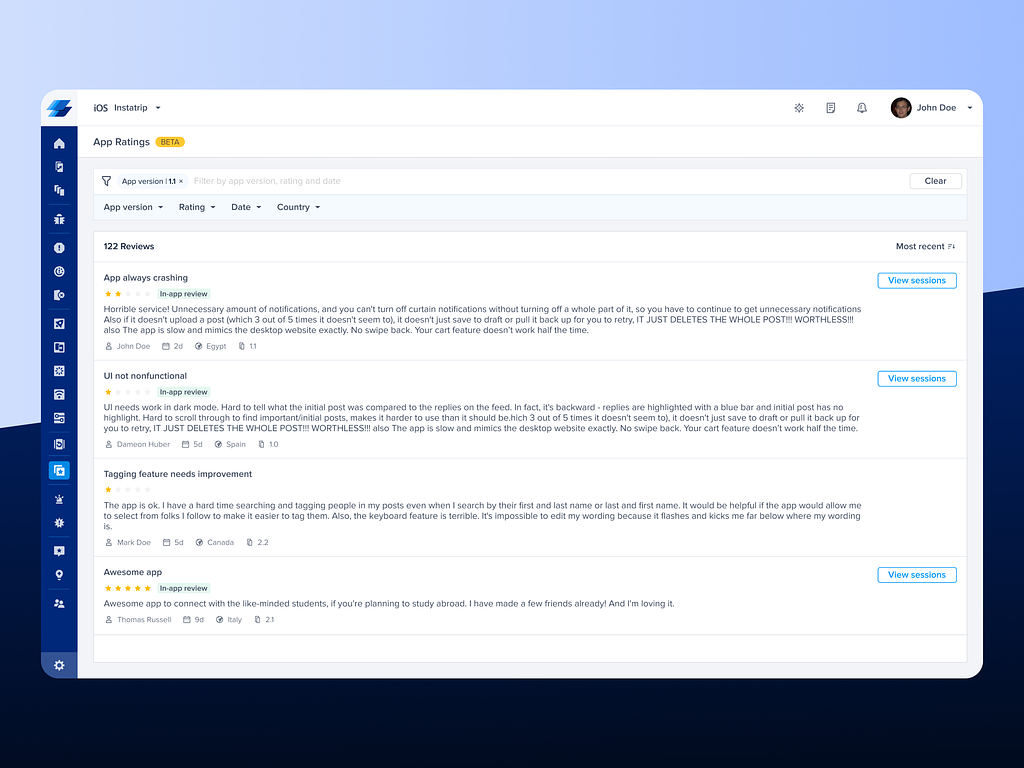
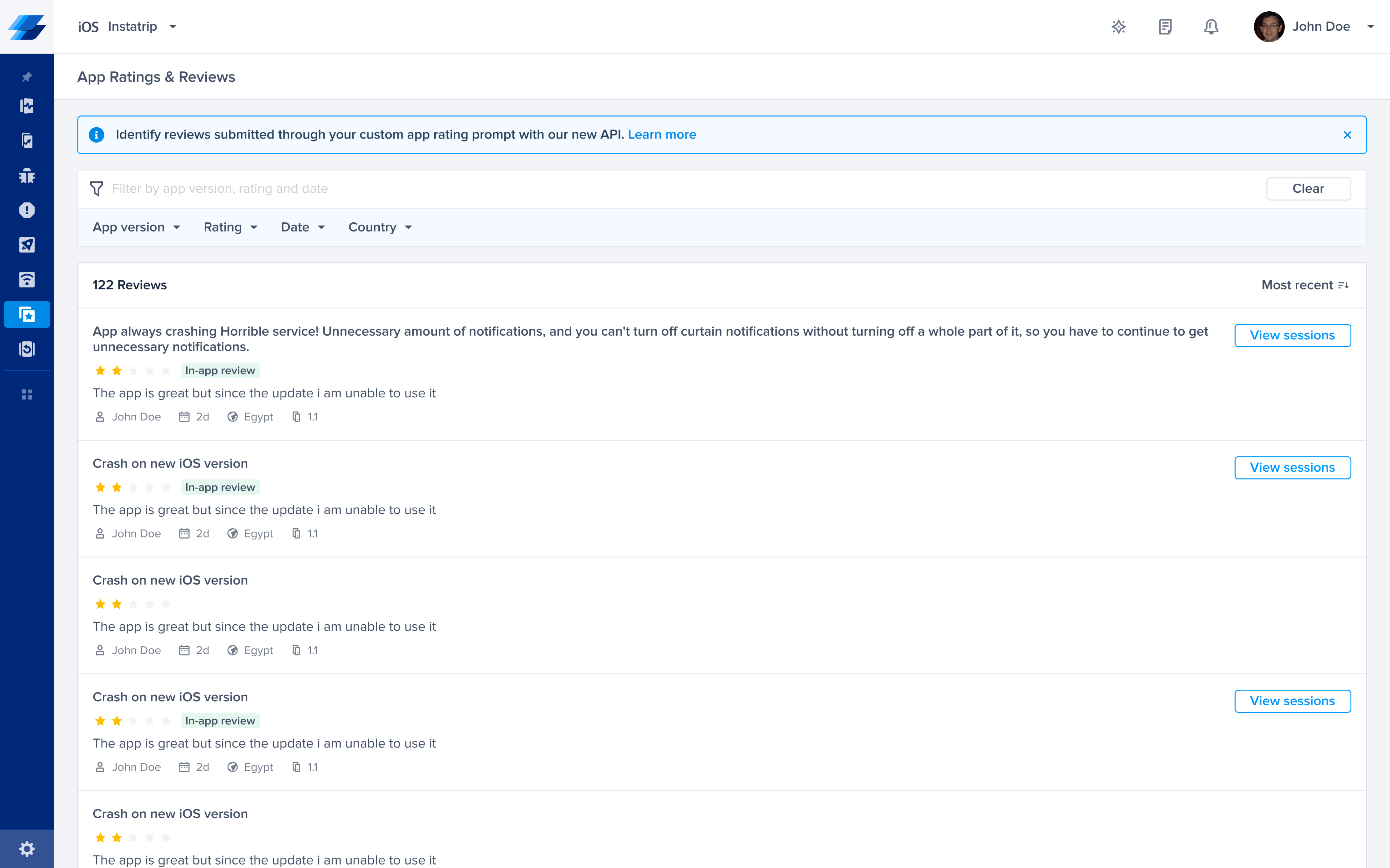
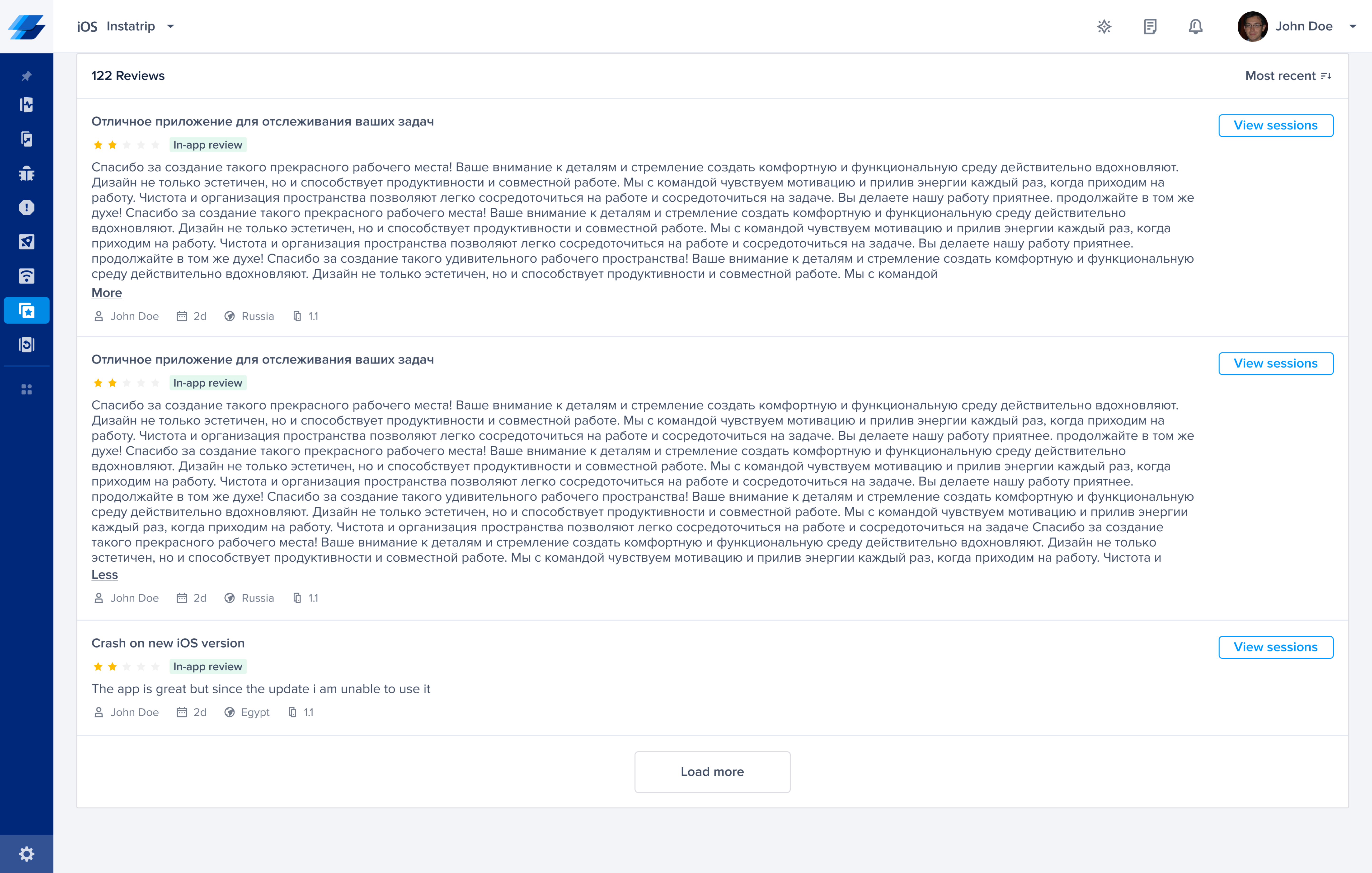
● All reviews will be listed in the App Ratings & Reviews Listing page.
● Users could filter reviews based on (Ratings, Date, App version, Type, and Country).
● Users could sort reviews based on (Ascending & Descending).
● If the session was “Auto detected” using the automatic approach we will add a badge to that review → (In-app review), also will add a CTA → (View session), that will be redirect to the specific session it occurred when user submitted his review trough the Native prompt.
● Once the customer clicks on View Session, a new page will open in app rating debugging page Breadcrumb: App Rating/ Review #ID
● Once the customer clicks on the session, he’ll be redirected to Session Replay for the details and debugging data to reproduce the issue that their end user encountered.

%201.png)
 View Case Study
 View Case Study